Get cited by ChatGPT, Perplexity and Claude
More people ask an AI assistant instead of searching. Whether it mentions you depends on a few things you control. Here is what they are and how to fix them.
Search has a second front door
When someone asks ChatGPT, Perplexity or Claude for a tool like yours, the answer is built from pages the assistant can fetch and understand. If it can't read your site, you're not in the answer, however good the product is.
The good news is that most of what decides this is a handful of settings and a few lines of text. People call it GEO, generative engine optimisation. It's mostly ordinary good SEO with a few additions, and the steps below cover them.
Let the right crawlers in
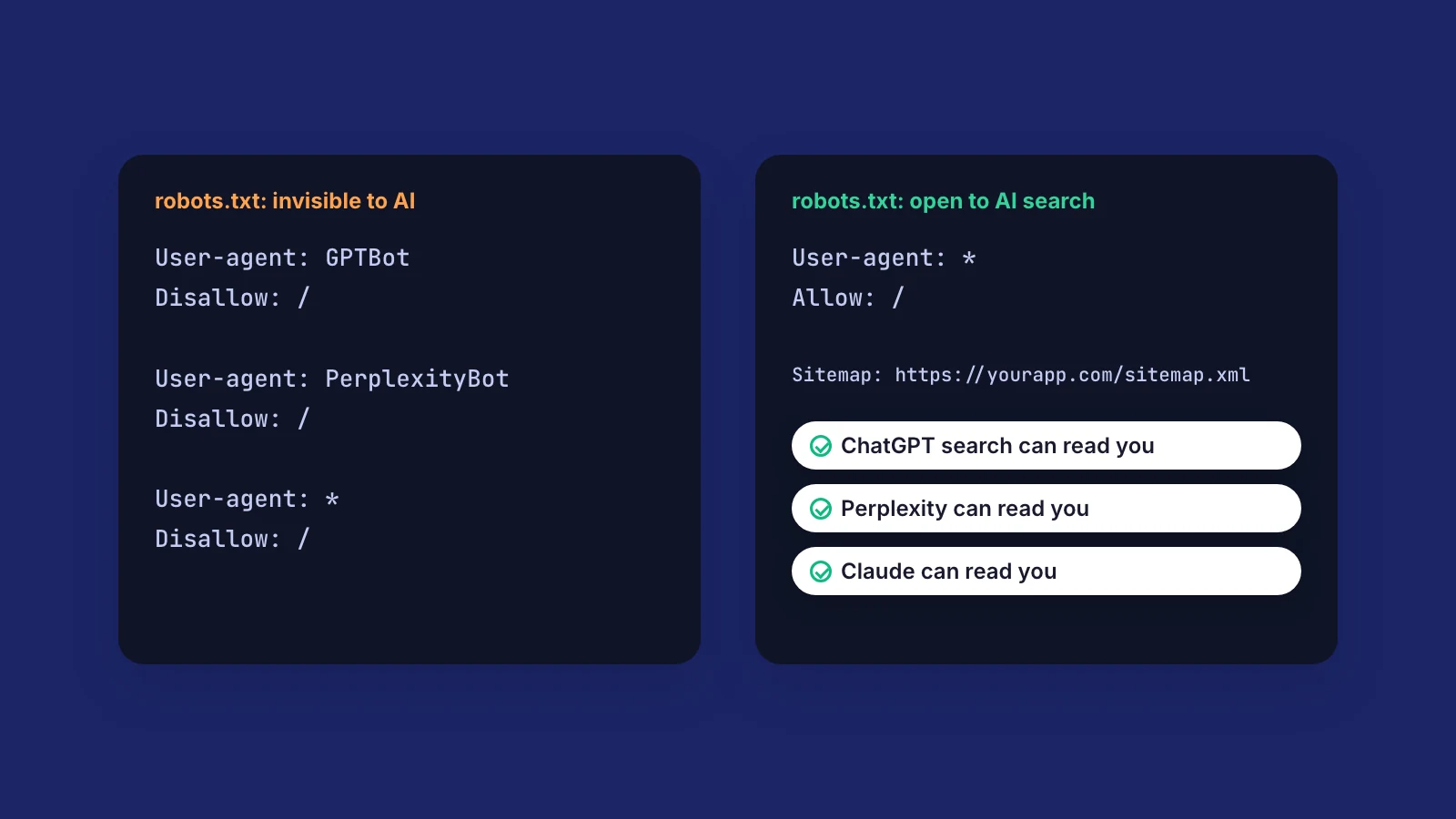
Each assistant sends its own crawler, and your robots.txt file decides which ones may read your site. There are two kinds, and the difference matters.
You can block the training crawlers and still be cited. Blocking the answer crawlers is what makes you invisible. The most common accident is a rule copied from a staging site, User-agent: * with Disallow: /, which quietly hides the whole site from everyone.
- Answer crawlers fetch pages to answer a question right now: OAI-SearchBot and ChatGPT-User for ChatGPT, PerplexityBot for Perplexity, Claude-SearchBot and Claude-User for Claude.
- Training crawlers collect pages to train future models: GPTBot and ClaudeBot, for example. Allowing them is your call.
Make your pages readable without JavaScript
Many AI crawlers don't run JavaScript. If your homepage is an empty shell that fills in after scripts load, which is common with apps made in Lovable, Bolt or a plain React setup, the crawler sees almost nothing.
A quick test: open your page, choose View Source (not the inspector) and search for your headline. If it isn't there, crawlers probably can't see it either. Server rendering or static pages fix this.
While you're at it, add an llms.txt file at the root of your site: a short plain-text summary with links to your most important pages. It's a young convention and not every assistant reads it yet, but it takes ten minutes and helps the ones that do.
Tell them who you are
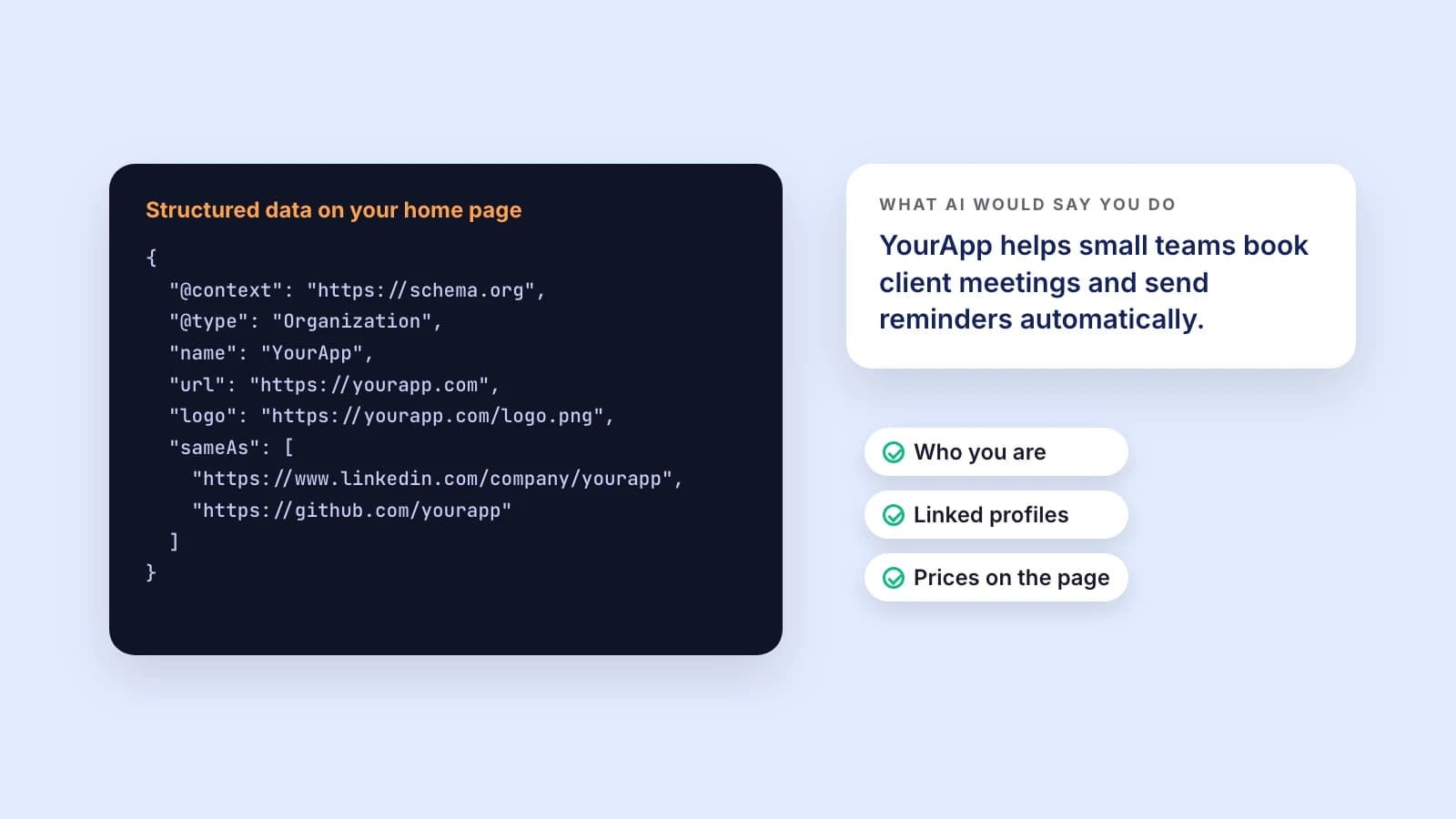
An assistant has to be sure which company it's talking about before it recommends you. Structured data on your homepage says it in a format machines read: your name, your web address, your logo and links to your real profiles on LinkedIn, GitHub or X.
Then say what you do in one plain sentence near the top of the page. That's the sentence an assistant is most likely to repeat.
Answer the questions people actually ask
People ask assistants the same things they'd ask a friend. Make those answers easy to find and easy to quote.
- A headline that says what the product does, not a slogan.
- Prices on the page. "How much does it cost" is one of the most common questions, and "contact us" gives an assistant nothing to quote.
- An FAQ written as real questions and short answers. It's the easiest format to quote correctly.
- Dates on your content, so an assistant can tell your guide is current.
See where you stand
Launch Check's AI search scan looks at 11 of these signals: which answer and training crawlers your robots.txt allows, llms.txt, a plain-text version of the page, whether it reads without JavaScript, structured data, profile links, your headline, FAQ, pricing and update dates.
It's part of the paid plans, next to Google PageSpeed and an AI review of your copy, and every problem it finds goes into the fix list you can hand to your AI coding tool.
Thanks for reading. Want to know where your site stands? Run a free check.