Vibe-coded your app? 7 security basics
AI tools build working apps fast, but they rarely go back to lock the doors. Seven checks worth a few minutes before real users and real data arrive.
Working is not the same as safe
Lovable, Bolt, Cursor and Claude Code will happily build a login page, a dashboard and a payment flow in an afternoon. What they don't do unless you ask is check who else can reach those things.
None of the checks below need a security background, and most take a minute each. Do them before you share the link, not after the first stranger finds the gap.
1. Keep your secrets file private
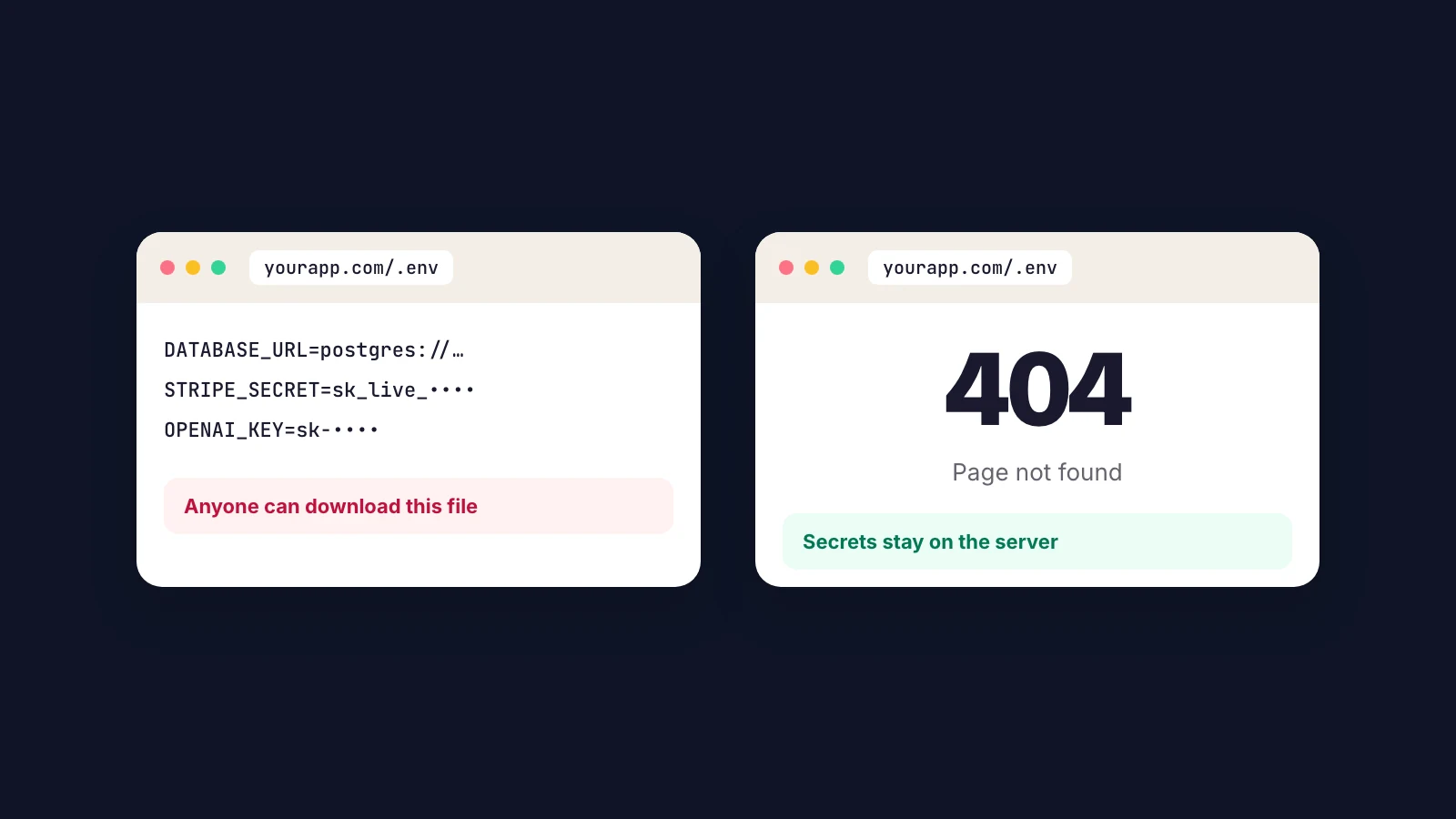
Your .env file holds your database password and API keys. Some hosting setups serve it like any other file. Open yourdomain.com/.env in a private window: you want a 404 page.
While you're there, make sure secret keys (Stripe keys start with sk_, OpenAI keys with sk-) aren't sitting in your front-end code, where anyone can read them in the browser.
2. Lock the database row by row
If you use Supabase, every table needs row level security switched on, with rules that say who can read and change each row. Without it, the public key inside your app is enough for anyone to read the whole table.
In the Supabase dashboard, any table marked Unrestricted needs attention before launch.
3. Put private pages behind a login
Try /admin, /dashboard, /settings and /api in a private window. Each one should send you to sign in or refuse, never show data.
AI-built apps sometimes hide a page by simply not linking to it. That does nothing: anyone can type the address.
4. HTTPS on every page
Every page should load over https, plain http should redirect to it, and the certificate should renew on its own. Most hosts handle this now; custom domains are where it slips.
5. Add the security headers
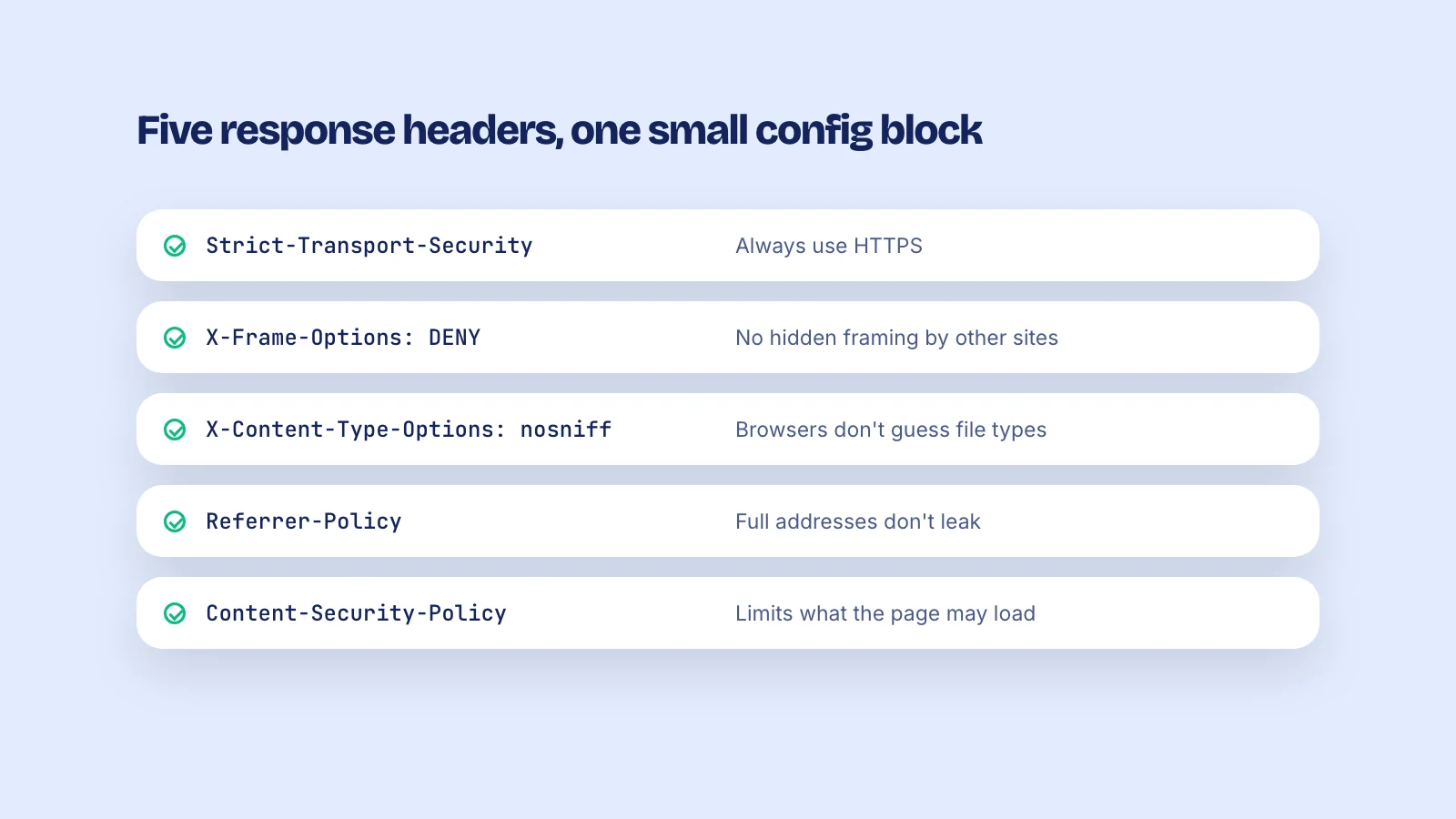
Five response headers stop a whole class of tricks: loading your site inside someone else's page to steal clicks, browsers guessing file types, full addresses leaking to other sites. They're a few lines in your framework's config, and your users never see them.
6. Trust payments only from your server
If your app unlocks paid features because the browser says the payment went through, anyone can say that. Mark an account as paid only when your payment provider confirms it to your server, through a Stripe webhook for example.
7. Errors that don't talk too much
When something breaks, visitors should see a plain error page, not a stack trace with file paths, database names or keys. Turn off debug mode in production and look at your error pages once before launch.
Check the outside in 15 seconds
Four of these seven can be checked from outside your site: the secrets file, private pages, HTTPS and security headers. Launch Check covers all four among its 38 checks and gives you a fix list to hand to your AI coding tool.
The database rules, the payment check and error handling live inside your code, so ask your tool to review those directly. It will, if you ask.
Thanks for reading. Want to know where your site stands? Run a free check.